Palomino gets you through a 2,000-photo shoot in one sitting.
I built Palomino to get you through a large shoot quickly: rate the keepers, skip the rejects, and hand a tight selection to your editing software. It doesn't edit, organize, or sync anything, because making culling fast is the only job I set out to do.
Palomino requires macOS 15 Sequoia or later and runs on Apple silicon and Intel Macs.
Palomino is free to download, with exports up to 50 photos per session. Palomino Pro removes the limit for a one-time $29.99 purchase.
Palomino reads the JPEG preview your camera already wrote into each RAW file. That's 10 to 100 times faster than decoding the sensor data, and it looks identical at normal viewing size.
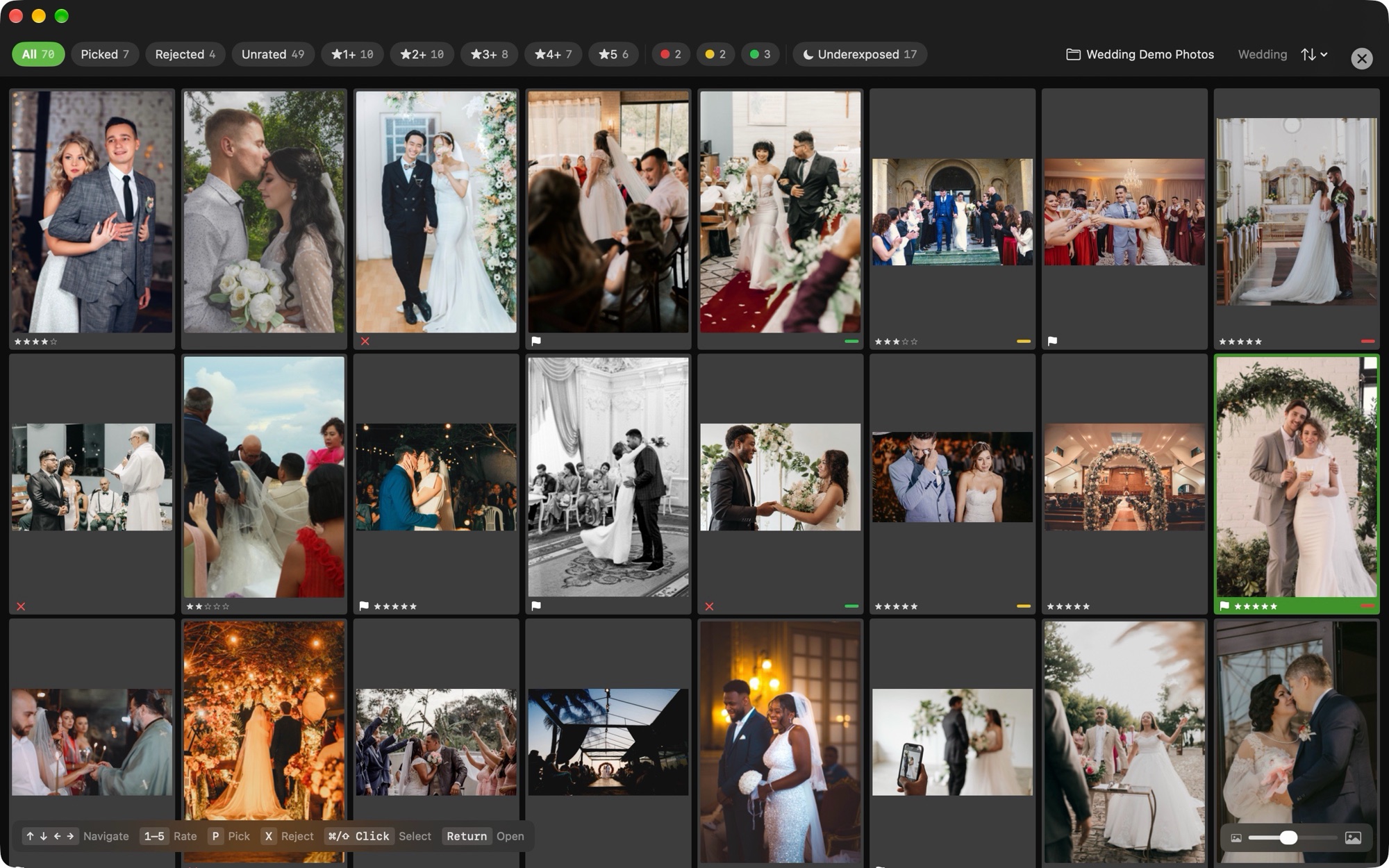
Press 1 through 5 to rate, P to pick, X to reject. Each action advances to the next photo, so you can work through a shoot without touching the mouse. In the grid, hold Command or Shift while clicking to select several photos, and one keystroke rates, flags, or labels all of them with a single undo. Press ? for the full shortcut list.
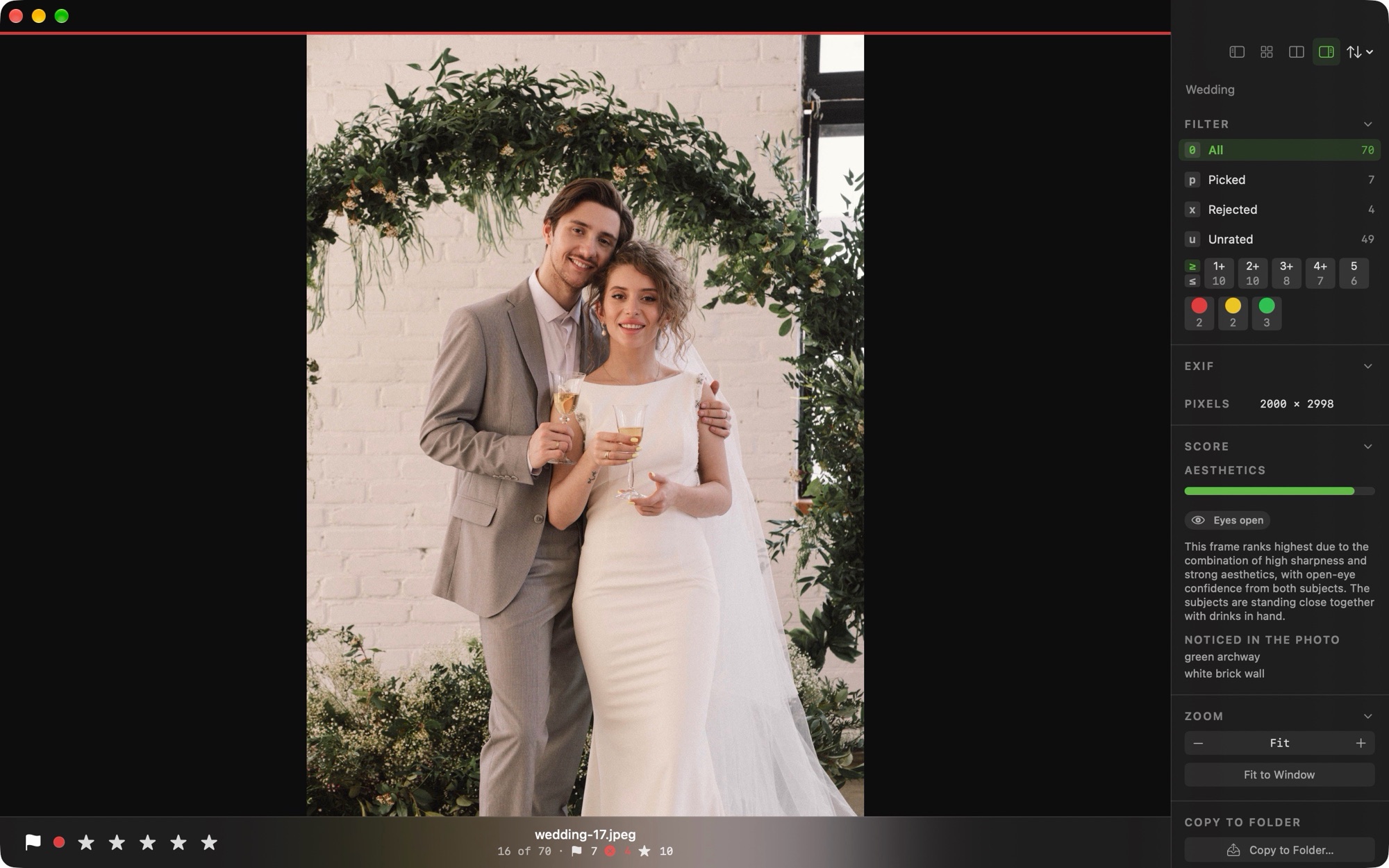
Background analysis flags overexposed, underexposed, soft, and closed-eye photos, and groups burst sequences, so the work of a first pass is already done when you open the folder.
Ratings and labels are written to standard XMP sidecar files, so they carry over to any editor that reads XMP. Sessions reopen exactly where you left off.
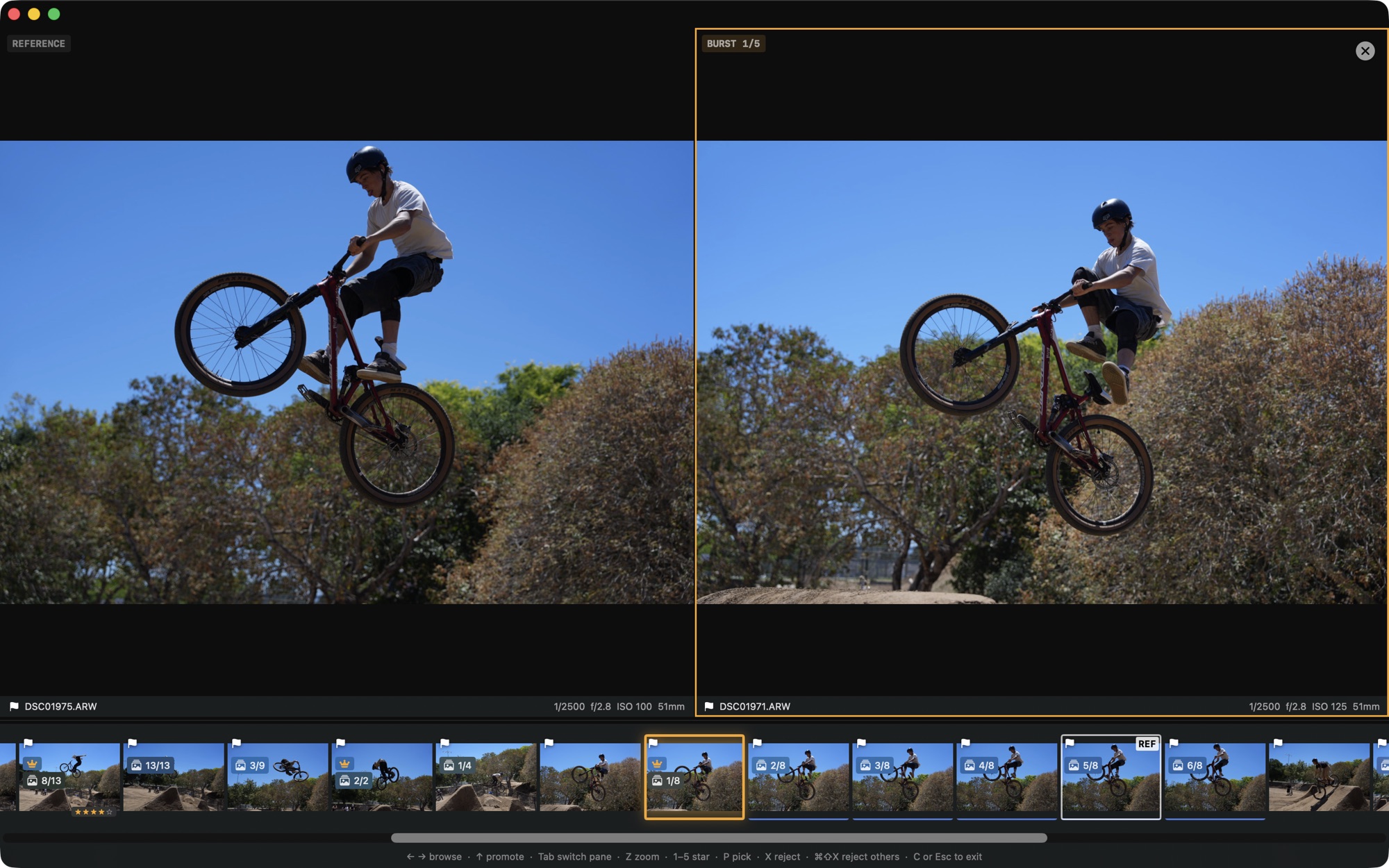
I recorded this screen capture while culling 2,124 RAW files from a BMX jam in Cupertino: 116 GB shot on a Sony A1 II at 50 megapixels, down to a handful of keepers. The screenshots on this page come from the same shoot. You can also watch it on YouTube.
Palomino ranks the frames in a burst by sharpness and marks the suggested keeper with a crown. With the reject-others shortcut, you keep the crowned frame and reject the rest of the burst in two keys.
Press V to zoom straight to the largest face at 300 percent, so checking eyes and focus takes one key. A badge flags photos where someone blinked.
Press 6 through 9 to set a red, yellow, green, or blue label. Filters then narrow the arrow keys to picks, ratings, labels, bursts, or capture days, and skip everything else.
A session summary shows your total time, photos per minute, and the spread of ratings, so you can see how the cull went and where your time was spent.
← → move 1–5 rate P pick X reject V face zoom G grid C compare E export
I designed Palomino to do its work on your Mac. There are no accounts and no cloud, and your photos, ratings, and folders stay on the machine. The app itself carries no analytics or tracking. The only network activity is Apple handling your Pro purchase, which never involves your photos.
The app runs in the macOS App Sandbox and has no analytics, no tracking, and no third-party SDKs. It never sends your photos or ratings anywhere.
Nothing to sign up for and nothing synced anywhere. Your ratings are written to standard XMP sidecar files next to your photos, where they stay.
The one piece of data that can ever leave is a debug log, and only when you choose to save it and send it in for a bug report. Until you do, nothing goes anywhere.
Palomino is free to download. The free version exports up to 50 photos per session, which covers most hobbyist shoots without any payment. Palomino Pro removes the export limit for a one-time $29.99 purchase. You can upgrade from inside the app under Settings → Pro.
Palomino is free to download and use. The free version exports up to 50 photos per session. Palomino Pro removes the export limit for a one-time $29.99 purchase.
No. Palomino reads your RAW files to show and rate them, and writes ratings and labels to standard XMP sidecar files. It never alters the original image files.
No. Your photos and ratings never leave your Mac. The app itself has no analytics, tracking, or accounts, and the only data that can leave is a debug log, and only if you save it and send it yourself for a bug report.
Palomino supports ARW, DNG, 3FR, NEF, CR3, RAF, ORF, HEIC, JPEG, and more than 20 other formats.
Palomino requires macOS 15 Sequoia or later and runs on both Apple silicon and Intel Macs.
Palomino reads the JPEG preview your camera already embedded in each RAW file, which is much faster than decoding the full sensor data, and it prefetches the next photo in the background so navigation feels instant.
I build and support Palomino myself, so a message to any of these addresses reaches me directly.
Email about anything broken, confusing, or not working the way you expect.
support@palomino-app.comFeature requests and ideas are welcome. I read every message myself.
feedback@palomino-app.com