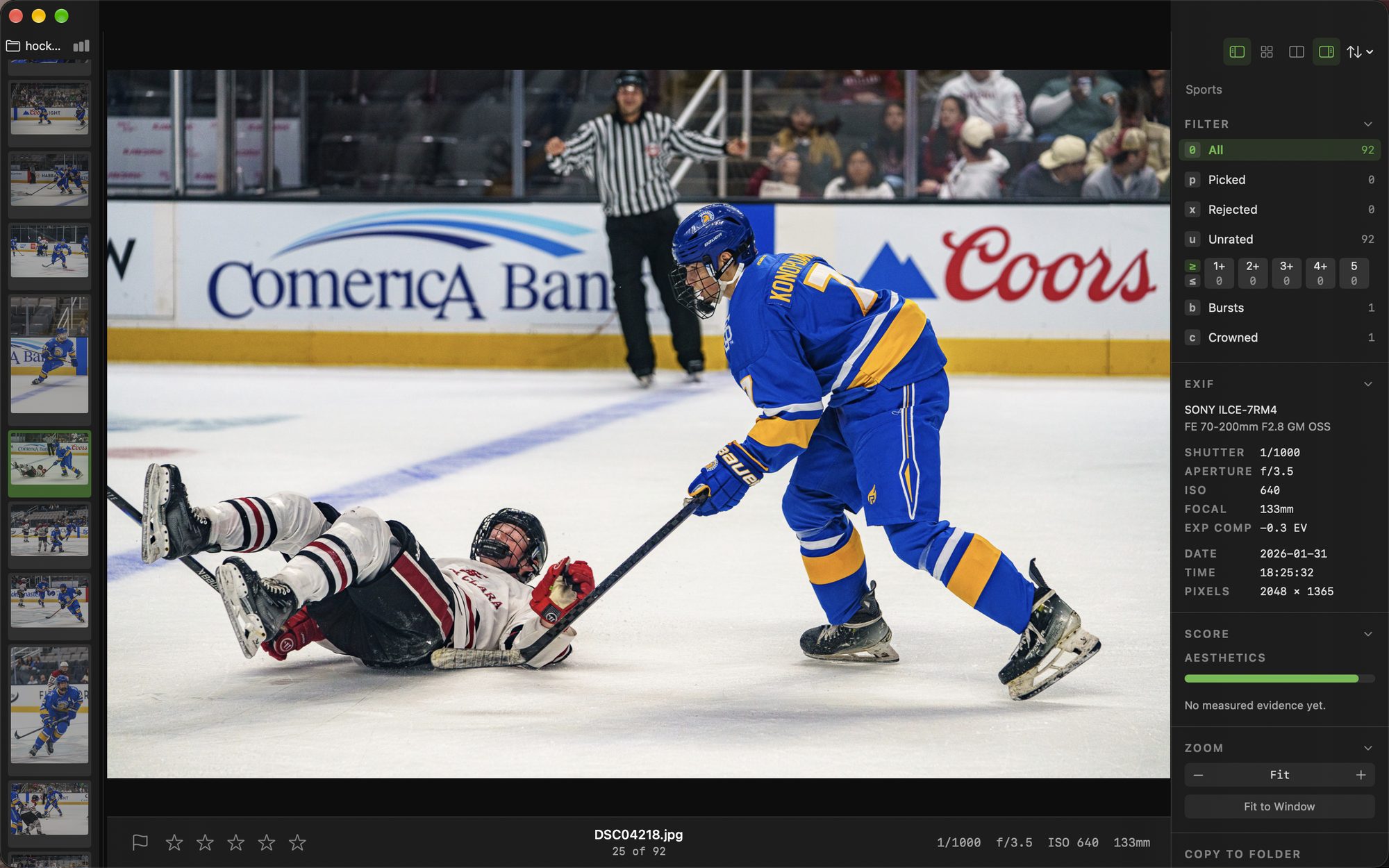
Palomino is a Mac app that gets a game's bursts down to the frames worth sending, so your selects reach the editor while the result is still news.
A game shot at 20 frames a second fills a card with near-identical frames. Palomino groups every burst, crowns the sharpest frame, and rejects the rest of the burst with one shortcut. Then it copies your picks to a folder for your editor, and the card is ready for the next game.
Point Palomino at the card or at the folder you copied it to. Previews come from the JPEG your camera embedded in each RAW file, so several thousand frames are ready to look through as soon as the folder opens.
Palomino groups each burst while you work. Turn on Collapse Bursts and the grid shows one tile per burst with a count of its frames. The BMX jam above goes from 441 frames to 36 tiles.
A crown marks the sharpest frame in each burst. Compare puts two frames side by side with their zoom linked, and the reject-others shortcut keeps the frame you are on and rejects the rest of the burst in two keys.
Copy to Folder sends your picks or your top-rated frames to a folder, and on the same drive it lands in well under a second. Ratings travel in standard XMP sidecar files, so your editor sees the stars you gave.
Arena light and long glass leave little room for a missed frame. Press ⌘F for the focus mask, which outlines the sharp edges in green, and it works inside Compare too, so you can see which frame of a burst caught the player. For a dim rink, Copy to Folder can put frames above an ISO you choose into their own folder, so the noisy ones get extra care in your editor.
You can open and rate a full game in the free version, and export up to 50 photos per session.
Pro removes the export limit, so a whole tournament's selects go to your editor in one export. It is a single purchase on the Mac App Store with no monthly or yearly charge.
Palomino does its work on your machine. The app runs in the macOS App Sandbox and has no analytics, no tracking, and no third-party SDKs, and it never sends your photos or ratings anywhere. The only network activity is Apple handling a Pro purchase, which never involves your photos.
Yes. Palomino shows each frame from the JPEG preview your camera embedded in the RAW file, so the next frame appears the moment you press the arrow key. Frames shot within half a second of each other are grouped into one burst by timing alone, so a burst holds together even when the subject is small in the frame.
Palomino measures sharpness across the burst, at the eye when it finds one, and crowns the sharpest frame. In a long burst it can crown up to four more frames that catch a different moment. Click a crown to read why that frame ranked first.
Palomino Pro is a one-time $29.99 purchase through the Mac App Store. You pay once, with no monthly or yearly charge.
Palomino writes ratings and color labels to standard XMP sidecar files, so any editor that reads XMP picks them up when you import the folder of selects.
Palomino leaves every pick to you. It crowns the sharpest frame in each burst and flags soft frames, and you accept or skip each suggestion with one key.
Palomino requires macOS 15 Sequoia or later and runs on both Apple silicon and Intel Macs.